

Last Updated: November 1, 2026
Quick Summary
POS integration risks for independent restaurants concentrate in four areas: lost orders from manual re-entry, network outages that halt order routing and payments, silent reporting and inventory mapping errors, and contract gaps around data ownership and offline behavior. Most failures trace to a skipped pre-launch step, not a broken product, so test every channel in staging and get offline mode, data export, and support response times in writing.
- Test a modified item, split check, and void through every channel before launch.
- Set a parallel-run period of at least one full service day before cutting over.
- Audit recipe-to-ingredient mapping before launch and after the first inventory cycle.
- Confirm in writing that you own your data and can export it in a usable format.
- Ask for total cost across a full year, not the headline monthly rate.
Table of Contents
- How POS System Integration Affects Restaurant Operations
- Where Integrations Fail: Common Risks and Failure Modes
- Your POS System Integration Checklist Before You Connect Anything
- Restaurant POS System Testing: A Step-by-Step Launch Plan
- Restaurant POS Inventory Integration: Preventing Food Waste and Stock Gaps
- Restaurant POS Accounting Integration: Keeping Sales Data and Payroll Accurate
- Data Ownership, Privacy, and Security Across Connected Vendors
- Total Cost and Contract Risks Independent Restaurants Miss
- Frequently Asked Questions
How POS System Integration Affects Restaurant Operations
POS integration risks for independent restaurants start with a simple truth: the point of sale is no longer a cash register. Explore Restaurant Operations resources and manuals.
POS system integration is the process of connecting a restaurant’s point of sale software to third-party systems such as accounting platforms, inventory tools, payroll providers, and online ordering channels so data moves between them without manual re-entry.
Order Management and Order Accuracy
Order accuracy depends on one clean handoff: the moment a ticket leaves the POS and reaches the kitchen display or printer. Integrated order routing removes the re-keying step where most input errors begin. A common mistake is assuming an online ordering channel maps every modifier correctly. Test a modified item, a split check, and a void before launch. If the kitchen ticket drops a modifier, you have found a POS integration risk before a guest has.
Payment Processing and Payment Security
Payment processing is where integration risk becomes financial risk. Card data should never pass through a system that is not built to hold it. Confirm that your payment terminal is certified to the current PCI DSS standard, and check the PCI Security Standards Council guidance on which parties in your setup handle cardholder data. Fraud prevention and data breach exposure both widen with every extra system that touches payment data.
Reporting, Payroll, and Staff Coordination
Sales reporting is only as reliable as the integration feeding it. When sales data syncs cleanly to accounting and labor systems, payroll hours reconcile against actual shifts and staff coordination improves. When it does not, managers rebuild reports by hand and cost control slips. Employee tracking tied to the POS clock-in is the difference between payroll you trust and payroll you audit.
Where Integrations Fail: Common Risks and Failure Modes
Most integration failures fall into two buckets: bad data going in, and no system available to receive it. Both are preventable with testing and a written recovery plan. For a broader view, see Reduced Risk in Hospitality: Market Trends & Mitigation. The NIST cybersecurity framework offers a useful structure for thinking about reliability and recovery, even for a single-location operator.
Lost Orders, Manual Entry, and Input Errors
Lost orders rarely announce themselves. They show up as a guest complaint about a dish that never fired. Manual entry is the root cause in most cases: a staff member re-keys an online order into the POS, and a modifier or an entire item disappears. Every manual step you remove from the workflow removes a chance for input errors and lost orders.
Network Outages and System Downtime
System downtime is the failure mode operators underestimate most. A network outage can take down order routing, payment processing, and reporting at once. Ask every vendor what happens offline. Does the POS queue orders locally? Can you process payments on a backup connection? Reliability is a contract question, not just an IT question.
Your POS System Integration Checklist Before You Connect Anything
A POS system integration checklist for an independent restaurant is not a generic IT to-do list. It is a risk-control document that assigns ownership, defines what “done” looks like, and forces every vendor to commit to behavior in writing before live service.
Use this checklist as a gate. To get consulting help preparing your systems, see Enhance Hospitality Operations. Do not let a vendor touch live data until every line is checked and signed off by one named internal owner.
Pre-Connection Governance
- Name one integration owner, a manager or operator, not a vendor, who owns every account, credential, and escalation path
- Build a system dependency map: list every connected system, what data flows in each direction, and what breaks if that system goes down
- Confirm each vendor’s support tier, response-time commitment, and after-hours escalation number in writing
Data and Menu Mapping
- Map menu synchronization so item names, prices, modifiers, taxes, and service charges match across every channel
- Document recipe-to-ingredient mapping for inventory deduction and audit it against a physical count
- Confirm how discounts, comps, voids, refunds, and tips map between systems, these are the categories most likely to break silently
Reliability and Recovery
- Get offline mode behavior in writing: does the POS queue orders locally, for how long, and how are queued orders reconciled when the connection returns?
- Confirm backup internet or cellular failover for payment processing
- Document the recovery procedure for duplicate orders, missing tickets, and failed syncs
- Set a parallel-run period, at least one full service day, before cutting over
A verbal promise is not a control. If a vendor will not put offline behavior, data export, and support response times in the contract, treat that as a risk finding, not a sales objection.
Restaurant POS System Testing: A Step-by-Step Launch Plan
Restaurant POS system testing should run in a staging environment before it touches live service. Test in this order, and record the result of each step.
- Run a test order with modifiers, splits, and voids through every channel
- Confirm the kitchen ticket matches the POS order exactly
- Process a test payment and reconcile it against the settlement report
- Push a sales batch to accounting and check the totals match
- Trigger an inventory deduction and verify the count updates
- Simulate a network outage and confirm offline order queueing
- Run a full parallel service day before cutting over
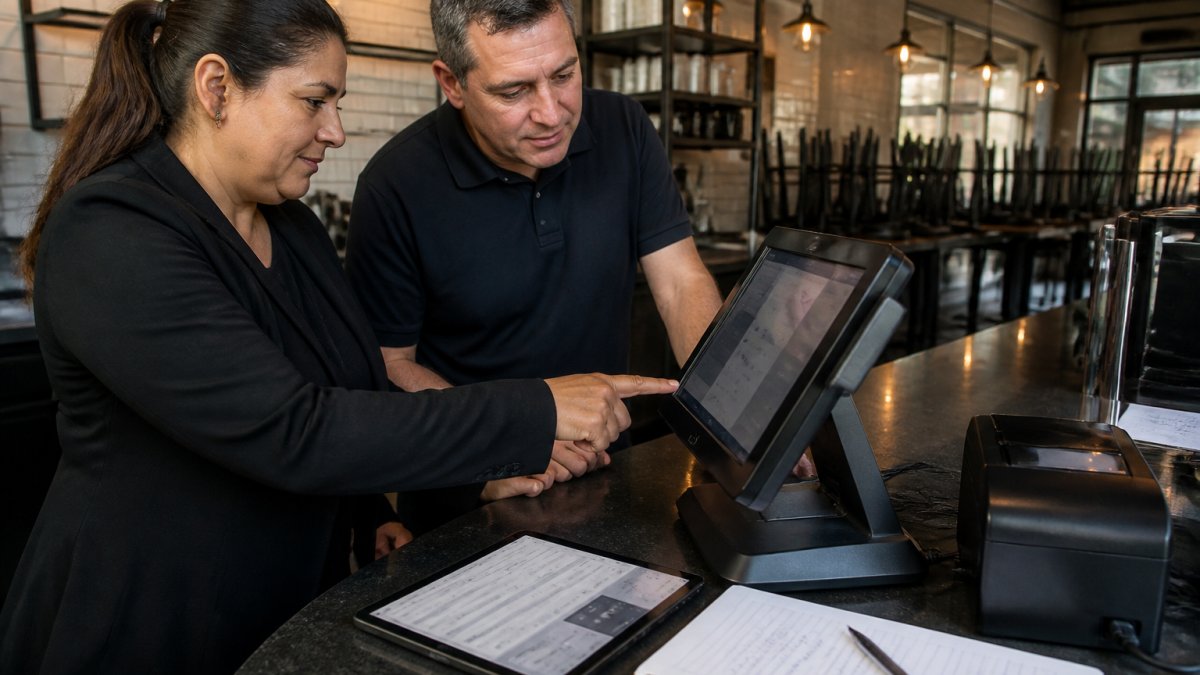
Expected result: every step reconciles with zero manual correction. If a step fails, stop and fix it before launch.
| Failure Mode | Warning Sign | Recovery Action |
|---|---|---|
| Lost orders | Guest complaints, missing tickets | Check channel modifier mapping |
| Manual entry errors | Re-keyed online orders | Automate order routing |
| Network outage | POS offline, no queue | Confirm offline mode in contract |
| Reporting mismatch | Sales totals disagree | Reconcile batch before payroll |
| Inventory drift | Counts off after service | Test deduction triggers |
Restaurant POS Inventory Integration: Preventing Food Waste and Stock Gaps
Restaurant POS inventory integration connects item sales to stock deductions so counts stay accurate between physical inventories. When menu items map to recipes and ingredients correctly, food waste and stock gaps shrink because you see depletion in near real time. If the mapping exposes deeper questions about pricing and item mix, menu engineering can help you align the menu with what the data is telling you.
Restaurant POS Accounting Integration: Keeping Sales Data and Payroll Accurate
Restaurant POS accounting integration moves sales, tips, and labor hours into your accounting system without manual re-entry. Get it right and payroll reconciles against actual shifts, and sales data flows into clean reporting. Get it wrong and every month ends with a spreadsheet rebuild. Confirm how tips and service charges map to payroll categories before you commit to an accounting connection. Review the Restaurant Accounting Systems that connect to your POS.
Data Ownership, Privacy, and Security Across Connected Vendors
Data ownership is the question most independent operators never ask until they want to leave a vendor, and by then the leverage is gone. Every connected system holds a copy of your sales, customer, labor, and payment data. The integration risk is not just a breach; it is losing control of your own records, or discovering after a dispute that a vendor considers your transaction history their property.
Treat data governance as a vendor-by-vendor audit, not a single clause in one contract.
What to Verify With Every Connected Vendor
- Ownership and export rights: Confirm in writing that you own your data and can export it in a usable format, not a PDF report, on demand and at contract end. Ask about export fees and turnaround time.
- Access controls: Require role-based permissions so staff see only what their job needs. Review who at the vendor can access your data, and whether access is logged.
- Payment-card data handling: Confirm which parties touch cardholder data and that each is certified to the current PCI DSS standard. Use the PCI Security Standards Council guidance to map responsibility across your POS, payment terminal, and online ordering channel.
- Breach notification and responsibility: Contracts should state who notifies whom, within what window, and who bears remediation costs. A breach at any one connected system exposes all of them.
A Small-Team Governance Routine
You do not need a dedicated IT department to control this. Assign the integration owner to review vendor permissions quarterly, keep a current list of every system holding your data, and require written approval before any new integration is connected. When a staff member leaves, revoke their access across every connected system the same day, not just the POS.
The goal is not to eliminate vendor risk. It is to make sure that if a vendor fails, breaches, or raises prices, you can leave with your data intact and your service uninterrupted.
Total Cost and Contract Risks Independent Restaurants Miss
Contract risk hides in the details: integration fees, per-transaction charges, data export costs, and auto-renewal clauses. For help managing vendor relationships and contracts, see Vendor Management Services for Restaurants. Ask for total cost across a full year, not the headline monthly rate.
The challenge is not choosing a POS system. It is governing the connections around it so data stays accurate and failures stay contained.
Frequently Asked Questions
What are the most common POS integration risks for independent restaurants?
The most frequent problems are lost or duplicated orders, manual entry and input errors, inventory counts that drift from actual stock, and accounting files that never reconcile. Payment security gaps and network outages also rank high because they stop service entirely. Independent restaurants feel these more than chains because they usually run one location with no IT team and no backup system. Before launch, map every connection between your POS, online ordering, inventory, and accounting software, then test each one with real orders during a slow service.
How do you test a restaurant POS integration before launch?
Run restaurant POS system testing in stages. Start with a single test order from each channel: dine-in, online ordering, and third-party delivery. Confirm it reaches the kitchen printer or kitchen display, then check that inventory deducts the correct quantities and the sale lands in accounting. Repeat with refunds, voids, discounts, and split payments. Test during a slow shift first, then a busy one, and keep a written log of every error. Only go live once every channel passes the same checks twice.
What should a restaurant do if a POS integration fails during service?
Have a printed fallback plan before you need it. Keep manual order pads and a standalone card terminal available, and assign one staff member to call the vendor’s support line while the manager keeps service moving. Write down the time, the affected channel, and the error message so support can diagnose it faster. After service, reconcile any orders taken manually against the POS and inventory records. A short outage becomes a data problem only when nobody captures what happened during it.
How can restaurants protect customer and payment data during POS integration?
Limit how many systems touch card data. Use a payment processor that handles encryption and tokenization so your POS never stores full card numbers, and confirm every connected vendor meets PCI DSS requirements. Ask each vendor where data is stored, who can access it, and how they notify you of a data breach. Review user permissions so staff see only what their role requires, and turn on two-factor authentication for admin accounts. These checks belong in your POS system integration checklist before any connection goes live.
